
Web & Mobile Application Development: How to Build Fast, Secure, and Scalable Digital Experiences
In a world where users switch between smartphones, tablets, and desktops within the same hour, web and mobile application development has become one of the most strategic investments a business can make. Whether you are a SaaS founder building a subscription platform or a business owner automating internal operations, the applications you deploy define how your customers experience your brand.
Unlike traditional websites that passively display information, modern web and mobile applications allow users to interact, transact, collaborate, and manage workflows all from a browser or a native app. Getting this right takes more than just coding. It demands a deep understanding of architecture, user experience, security, and scalability.
This guide breaks down everything decision-makers and founders need to know about building digital platforms that grow with your business.
What Is Web and Mobile Application Development?
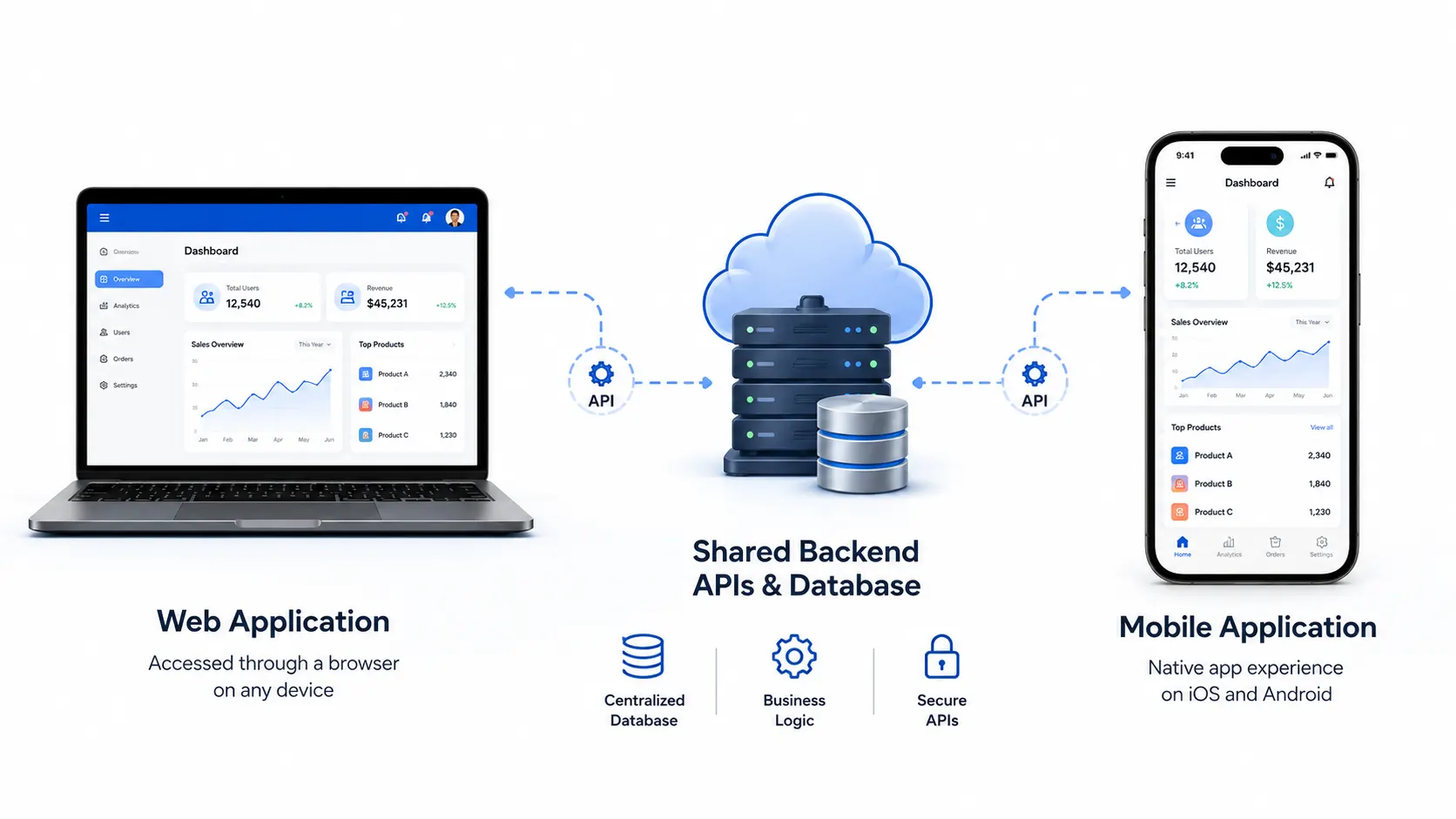 Web and mobile application development refers to the process of designing, building, testing, and deploying software that runs on browsers (web apps) or on iOS and Android devices (mobile apps) or both simultaneously through cross-platform approaches.
A web application runs inside a browser and requires no installation. Examples range from a simple customer booking form to a complex enterprise resource planning (ERP) system. A mobile application is installed on a device and can access native features such as GPS, camera, push notifications, and offline storage.
When both are built together under a unified strategy sharing APIs, databases, and backend logic, the result is a powerful, consistent digital ecosystem that serves users wherever they are.
Web Application Development Examples
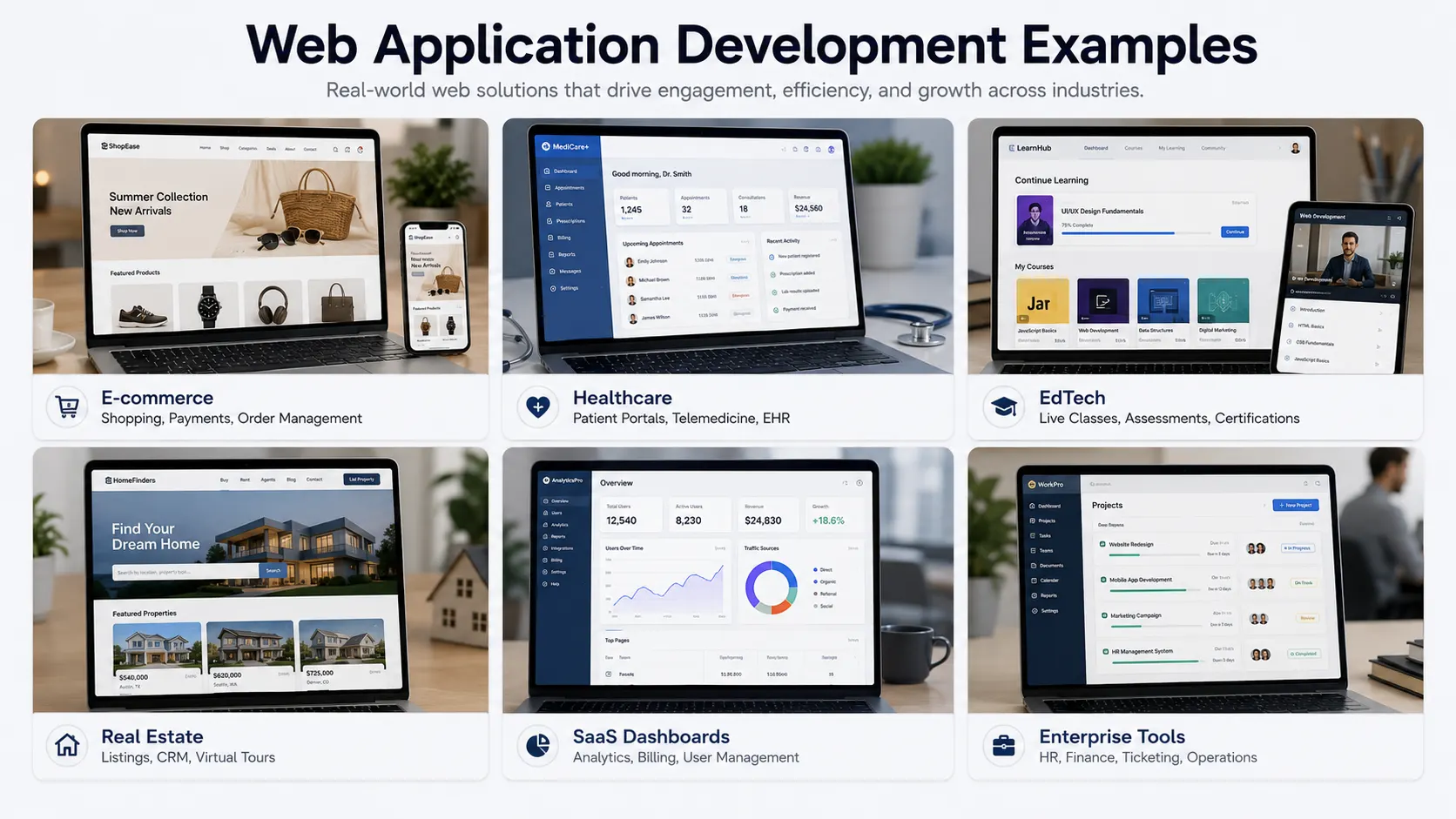 To understand the scope, consider these real-world web application development examples across industries:
E-commerce platforms: Product catalogs, shopping carts, secure payment gateways, and order management
Healthcare portals: Patient appointment booking, electronic health records, and telemedicine dashboards
EdTech platforms: Learning management systems, live classes, assessments, and certification portals
Real estate apps: Property listings, lead management CRMs, virtual tours, and booking workflows
SaaS dashboards: Multi-tenant platforms with role-based access, analytics, and subscription billing
Enterprise tools: HR management systems, procurement portals, internal ticketing, and finance dashboards
Each of these requires a different combination of frontend interfaces, backend logic, cloud infrastructure, and API connectivity.
Web Development vs App Development: What's the Difference?
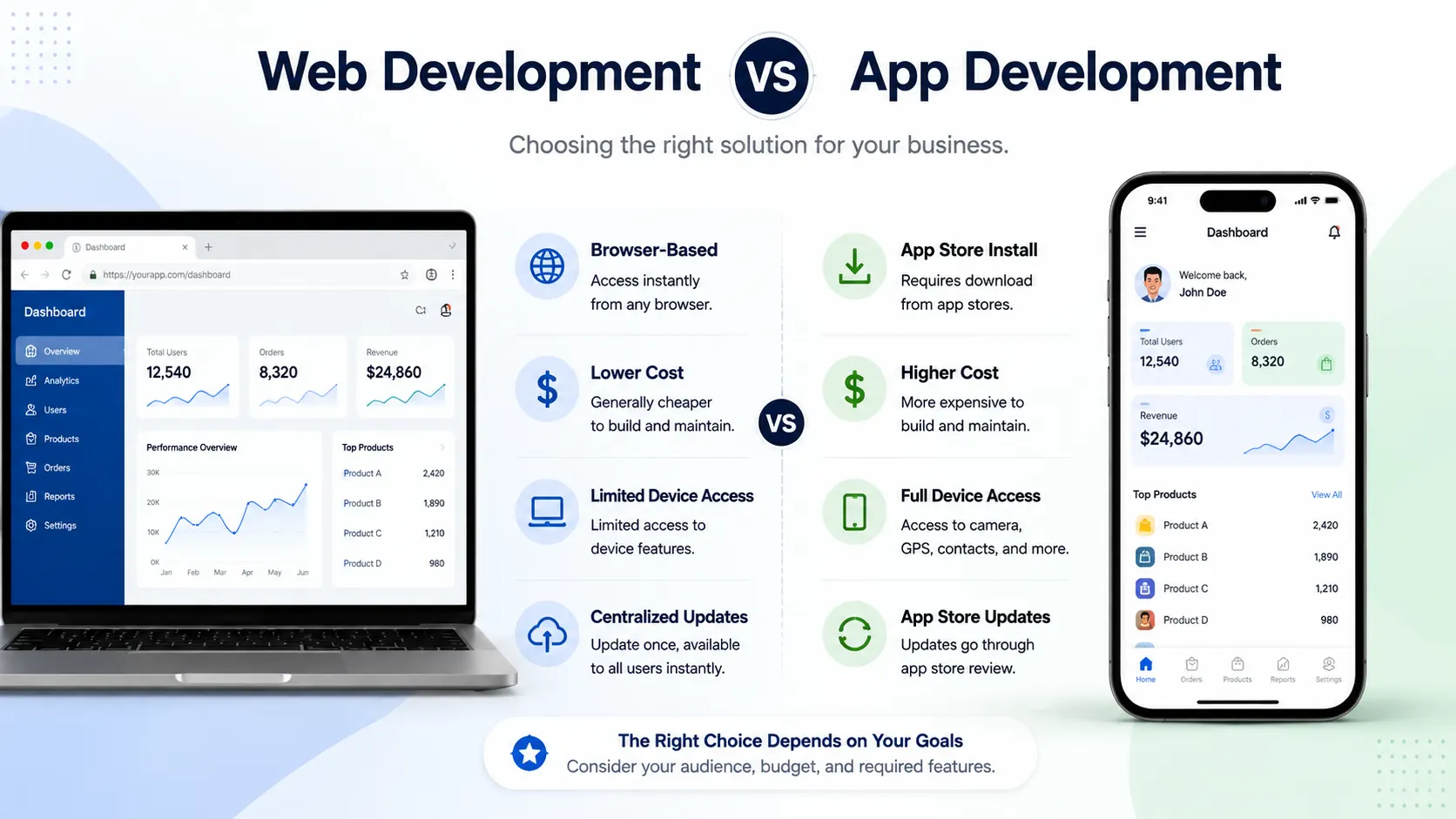
A common question among founders is: Should I build a web app, a mobile app, or both? Understanding web development vs app development clarifies the decision.
Factor | Web Application | Mobile Application |
Access | Browser-based, no install needed | Downloaded from App Store / Play Store |
Development Cost | Generally lower | Higher (especially for both platforms) |
Offline Access | Limited (unless PWA) | Full offline capability |
Device Features | Limited access | Full GPS, camera, biometric access |
Maintenance | Centralized updates | App store review cycles |
Discovery | Google search, SEO | App store optimization |
Best For | Business portals, SaaS, dashboards | Consumer apps, field tools, on-the-go UX |
For most SaaS founders and business owners, the most efficient approach is to start with a custom web application and layer in a mobile app once the product-market fit is validated. Progressive Web Apps (PWAs) bridge this gap, offering app-like experiences including offline access and home-screen installation through a browser.
How to Develop a Web Application: A Step-by-Step Process
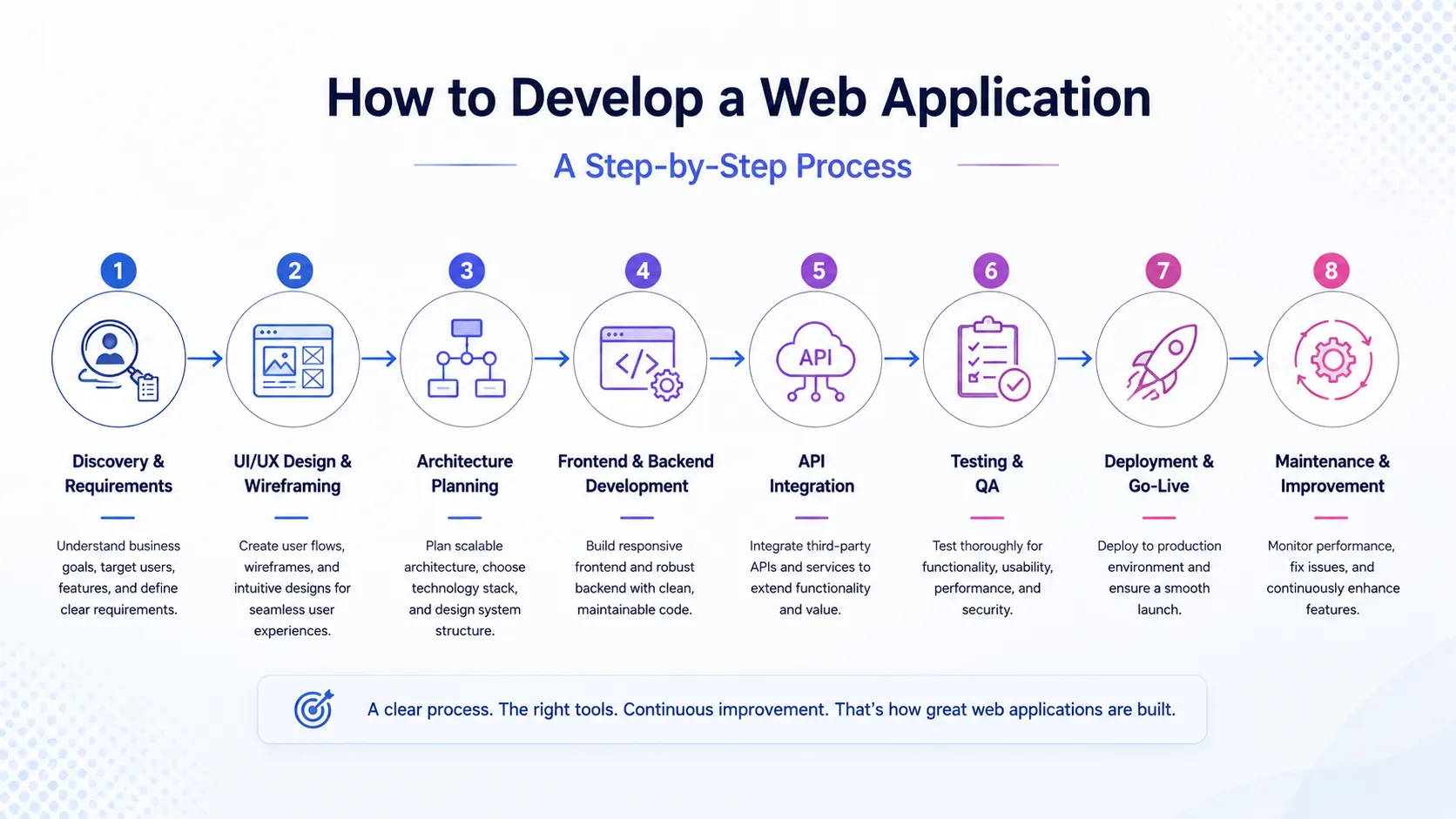
Understanding how to develop a web application from concept to launch reduces cost overruns, feature creep, and poor user adoption. Here is the structured process that professional web app development services follow:
Step 1: Discovery and Requirement Analysis
Define the business goal, target users, core modules, user roles, and expected workflows. Document what success looks like, not just features, but outcomes.
Step 2: UI/UX Design and Wireframing
Plan how users will use the app before you start coding. Design wireframes for every screen. Make navigation simple, buttons clear, and layouts work smoothly on all devices.
Step 3: Technical Architecture Planning
Choose your tech stack, define database structure, plan APIs, decide on cloud infrastructure, and identify third-party integrations. This stage determines long-term scalability.
Step 4: Frontend and Backend Development
Build the user interface (HTML, CSS, React, Vue) and server-side logic (Node.js, Python, PHP, Java). Connect both through well-documented APIs.
Step 5: API Integration Services
Modern web applications rarely work in isolation. API integration services connect your app to payment gateways, CRMs, email platforms, SMS services, ERP tools, and analytics dashboards, making your platform an intelligent ecosystem rather than an isolated tool.
Step 6: Testing and Quality Assurance
Validate functionality, performance under load, browser compatibility, security vulnerabilities, and mobile responsiveness. Testing is not optional it is the difference between a professional product and a liability.
Step 7: Deployment and Go-Live
Launch on a secure cloud environment with HTTPS, SSL certificates, automated backups, and performance monitoring in place.
Step 8: Maintenance, Monitoring, and Continuous Improvement
Real applications evolve. Monitor uptime, fix bugs, release new features, update dependencies, and respond to user feedback consistently.
What Is the Best Platform to Develop Web Applications?
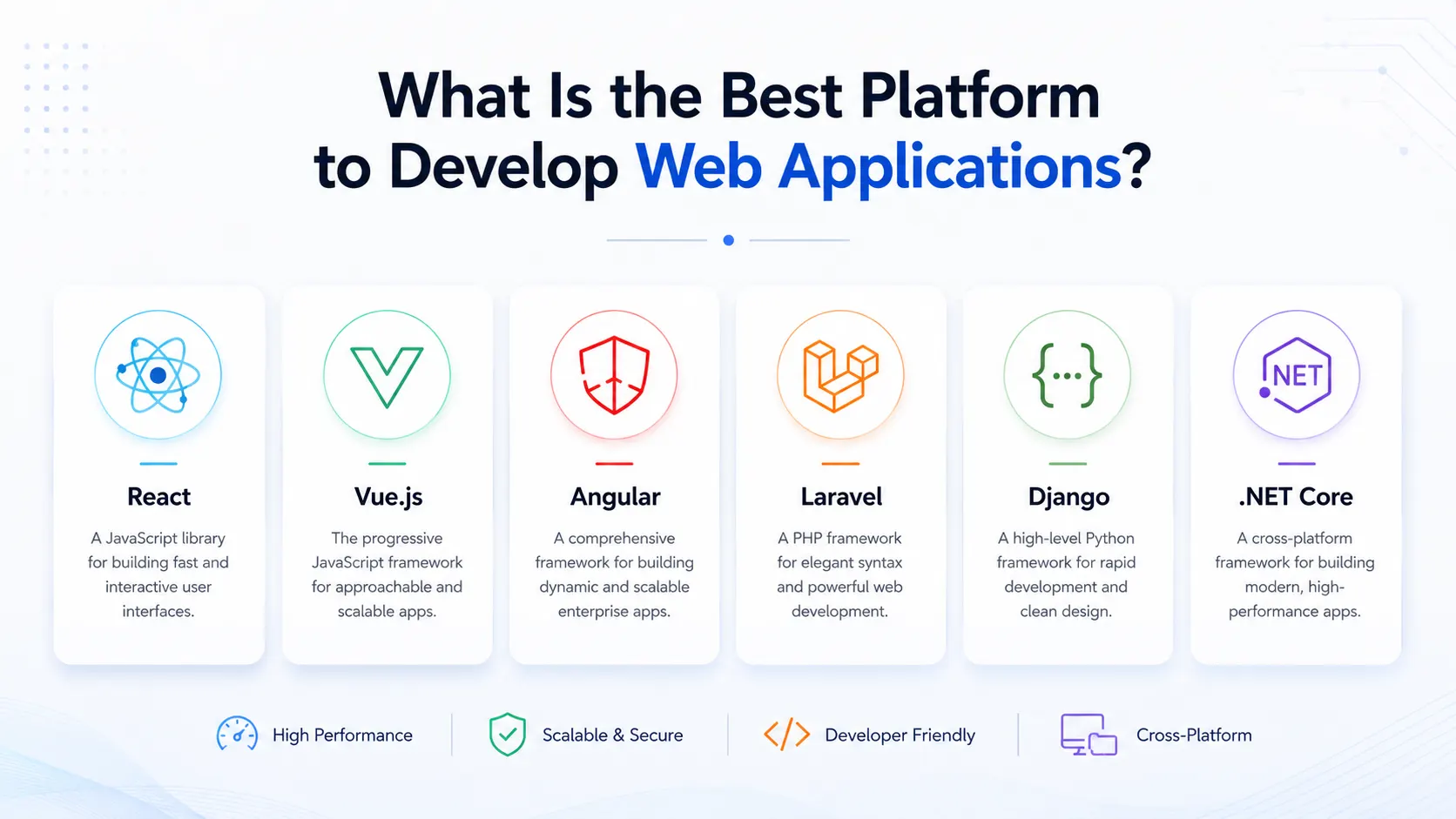
One of the most searched questions by founders and IT leaders is: What is the best platform to develop web applications? The honest answer is: it depends on your scale, budget, team, and product roadmap.
Here is a practical overview of the most reliable technology choices:
Frontend Frameworks
Framework | Best For |
React | Complex SPAs, SaaS dashboards, component-heavy UIs |
Vue.js | Mid-size applications, faster learning curve |
Angular | Large enterprise platforms with a strict structure |
Next.js | SEO-critical apps with server-side rendering |
Technology | Best For |
Node.js + Express | Real-time apps, scalable APIs, JavaScript teams |
Python + Django/FastAPI | Data-heavy apps, AI integration, rapid development |
PHP + Laravel | Cost-effective CMS-based apps, SME platforms |
Java + Spring Boot | Enterprise-grade, high-transaction systems |
Platform | Strength |
AWS | Most mature, widest service catalog |
Google Cloud | AI/ML capabilities, Kubernetes-native |
Microsoft Azure | Enterprise integrations, Microsoft stack |
DigitalOcean / VPS | Budget-friendly for early-stage startups |
For cloud-based application development, AWS and Google Cloud are the most popular choices among growing SaaS companies due to auto-scaling, managed databases, CDN services, and enterprise-grade security.
Custom Web Application Development vs Off-the-Shelf Software
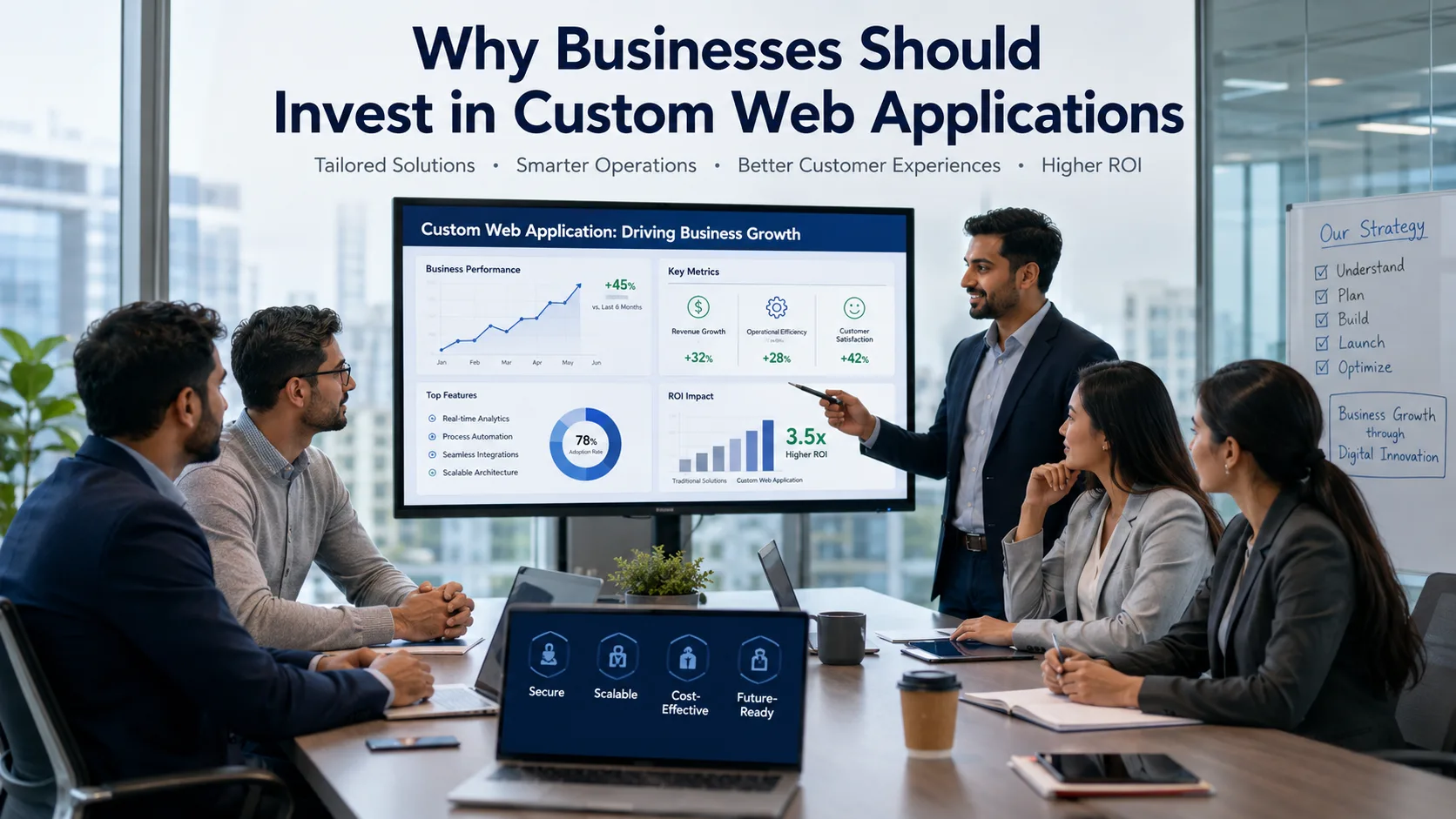
Many business owners ask whether custom web application development is worth the investment compared to buying existing SaaS tools.
Off-the-shelf software (like generic CRMs, project management tools, or e-commerce platforms) is faster to deploy but often requires compromising on workflows, branding, data ownership, and integration flexibility.
Custom web application development gives you:
A system designed around your exact business logic
Full ownership of your data and codebase
No recurring per-seat licensing fees at scale
Deep integration with your existing tools and internal processes
Competitive differentiation that generic platforms cannot replicate
For SaaS founders especially, building a custom platform is not just a product decision it is a business moat.
SaaS Application Development: Building for Scale from Day One
SaaS application development introduces unique architectural challenges. Unlike internal tools, a SaaS platform must serve hundreds or thousands of tenants simultaneously, handle billing and subscription management, offer role-based access at an organization level, and maintain uptime even during peak usage.Key principles for building scalable SaaS platforms:
Multi-tenancy: Isolate data per customer while sharing infrastructure
Subscription billing: Integrate with Stripe, Razorpay, or Paddle for recurring revenue management
Usage limits and plan enforcement: Build logic that controls feature access based on subscription tier
Audit logs and compliance: Track who did what and when for security and regulatory purposes
Horizontal scaling: Design for a cloud infrastructure that scales compute and storage independently
Pairing cloud-based application development with a well-planned SaaS architecture is what separates platforms that scale from those that collapse under their own growth.
Cloud-Based CRM Application: A Practical Example
One of the most in-demand use cases of web and mobile application development today is the cloud-based CRM application, a platform where sales teams manage leads, track deals, log calls, and monitor pipeline performance from any device.
A well-built cloud CRM offers:
Centralized lead and contact database
Sales pipeline visualization with drag-and-drop stages
Email and SMS integration via API connectivity
Role-based access for sales reps, managers, and administrators
Real-time reports and forecast dashboards
Mobile-friendly web interface or native mobile app for field teams
This is a textbook example of how custom web application development outperforms generic tools a CRM built around your sales process performs better than forcing your team to adapt to someone else's.
Responsive Web Design Services: Why Cross-Device Experience Is Non-Negotiable
No matter how powerful a web application is, it fails if it does not work properly on mobile devices. Responsive web design services ensure that your application adapts intelligently to every screen size from a 4-inch smartphone to a 32-inch ultrawide monitor.
Responsive design is not just aesthetic. It directly affects:
Bounce rate: users leave unresponsive sites within seconds
SEO rankings: Google uses mobile-first indexing
Conversions: checkout completion, form submission, and engagement rates drop on poorly optimized mobile experiences
Brand credibility: a broken mobile layout signals an unprofessional product
Professional web app development services treat responsive design as a foundational requirement, not an afterthought.
Security: The Foundation Every Web Application Needs
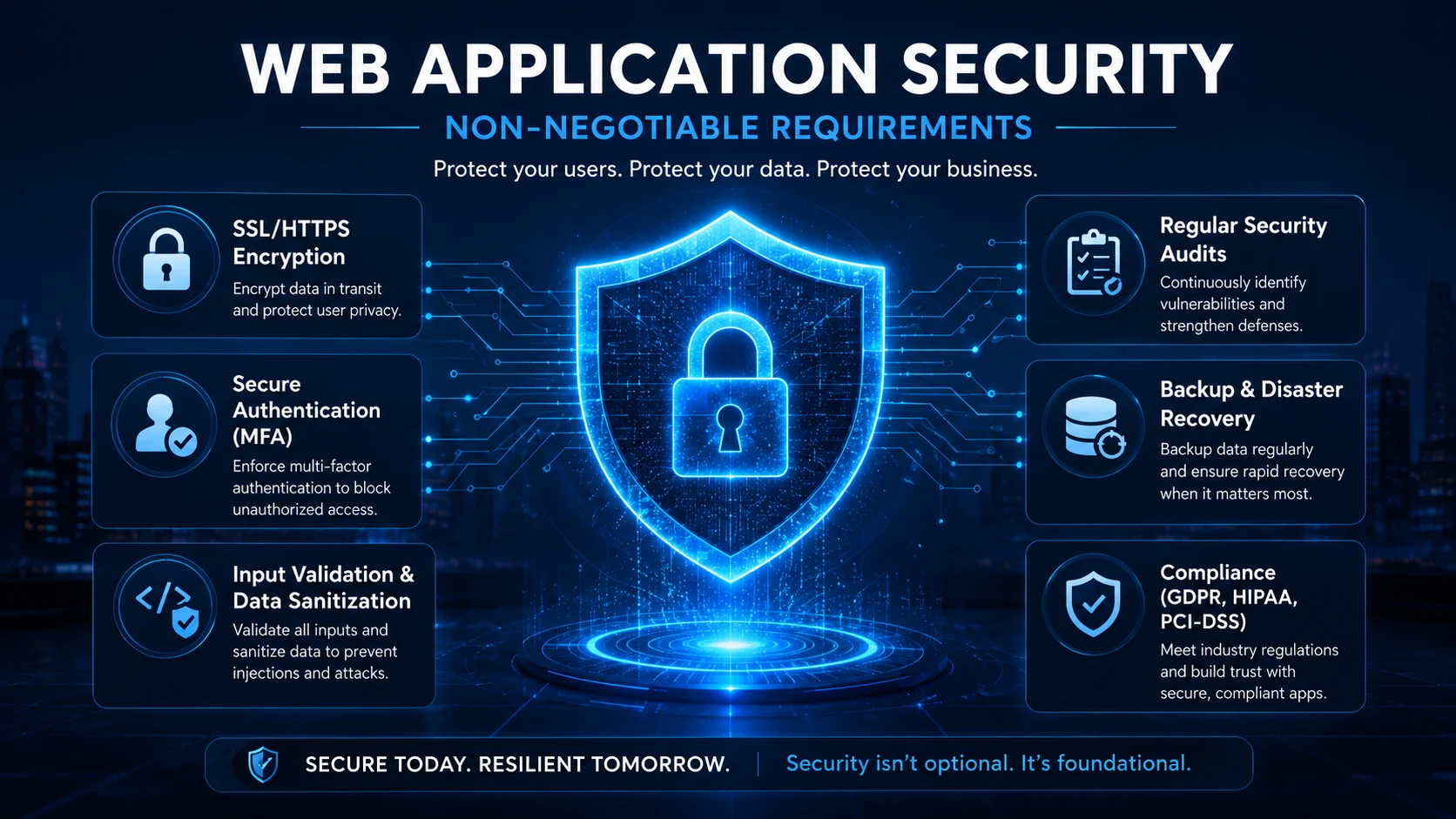
Security in web and mobile application development is not a feature you bolt on at the end. It must be embedded into every layer of the architecture from day one.
Critical security practices include:
HTTPS and SSL encryption for all data in transit
Secure login systems with multi-factor authentication (MFA) support
Role-based access control (RBAC) to limit what each user can see and do
Input validation and sanitization to prevent SQL injection and cross-site scripting (XSS)
Token-based authentication using JWT or OAuth 2.0
Regular security audits and dependency updates
Secure data management with encrypted storage and access logging
Backup and disaster recovery plans that are tested, not just documented
For SaaS founders handling customer data, compliance with GDPR, SOC 2, or ISO 27001 standards is increasingly a market requirement not merely a legal one.
Performance Optimization: Speed Is a Product Feature
Application performance directly affects user retention and business outcomes. A one-second delay in page load time can reduce conversions significantly, particularly on mobile devices.
Application performance optimization strategies for web applications:
Database indexing for faster queries
Content Delivery Networks (CDN) for geographically distributed assets
Caching at the server, API, and browser level
Lazy loading of images and non-critical resources
Code splitting in frontend frameworks like React and Vue
Optimized API responses with pagination and compression
Scalable cloud infrastructure that handles traffic spikes automatically
Performance is not a one-time fix. It is a discipline maintained through monitoring, profiling, and iterative improvement.
Industries Leading the Adoption of Custom Web Applications
Businesses across sectors are investing in web and mobile application development to digitize operations and improve customer experiences:
Industry | Key Application Type |
E-commerce | Online stores, inventory management, loyalty portals |
Healthcare | Telemedicine, EMR systems, patient portals |
Education | LMS platforms, live assessments, certification engines |
Finance | Customer dashboards, loan portals, fraud detection tools |
Real Estate | Property CRMs, virtual tour platforms, lead pipelines |
Logistics | Shipment tracking, route optimization, driver apps |
Manufacturing | ERP systems, quality control dashboards, supplier portals |
FAQ Section
1. What is the difference between a website and a web application?
A website primarily displays static or dynamic content for visitors to read or browse. A web application allows users to actively interact, submitting forms, processing transactions, managing data, accessing personalized dashboards, or performing specific tasks within a browser-based system.
2. How long does it take to develop a custom web application?
A simple web application with core features typically takes 8 to 16 weeks. A mid-complexity SaaS platform or enterprise portal may require 4 to 9 months. Timeline depends on scope, feature count, integrations, team size, and approval cycles.
3. What is the best platform to develop web applications for a startup?
For most early-stage startups, a combination of React (frontend) and Node.js or Python (backend) deployed on AWS or Google Cloud provides the best balance of development speed, scalability, and ecosystem support. The right choice ultimately depends on your team's skills and product requirements.
4. Is custom web application development worth the investment?
Yes, particularly for businesses with unique workflows, large user bases, or plans to scale. Custom applications eliminate per-seat licensing costs, give you full data ownership, allow deep integrations, and create competitive advantages that off-the-shelf tools cannot replicate.
5. How do I ensure my web application is secure?
Security must be designed into the architecture from the start. Essential measures include HTTPS encryption, input validation, role-based access control, secure authentication (MFA, OAuth), regular security audits, dependency updates, and comprehensive data backup plans.
6. What is the difference between web development and app development?
Web development produces browser-accessible applications that require no installation. App development creates software installed on iOS or Android devices, with access to native device features. Many modern projects pursue both simultaneously, using shared backend APIs, or use Progressive Web Apps (PWAs) as a bridge.
7. What is SaaS application development, and how is it different from regular web apps?
SaaS (Software as a Service) application development builds multi-tenant platforms that serve multiple customers simultaneously under a subscription model. Unlike internal tools, SaaS apps require additional architecture for tenant isolation, subscription billing, usage metering, and higher availability standards.
Conclusion

The businesses and SaaS founders who will lead their industries in the next decade are the ones building intelligent, scalable, and secure digital platforms today. Web and mobile application development is no longer a technology project it is a business strategy.
From choosing the right tech stack to designing for performance, security, and cross-device responsiveness, every decision in the development process shapes how users engage with your product, how efficiently your team operates, and how confidently your platform grows.
Whether you are launching a SaaS application, building a cloud-based CRM, automating internal workflows with a custom web application, or expanding your reach with a mobile-first platform, the fundamentals remain the same: build with intent, design for scale, and never compromise on security.
If your business is ready to move from concept to a production-ready digital platform, working with an experienced web app development services partner can compress your timeline, reduce costly mistakes, and give you a product built to last.
Ready to build? Start with a clear goal, a structured process, and a team that understands both the technology and the business behind it.