Website Redesign Checklist: When Should You Upgrade Your Website?
A website redesign is one of the highest-impact projects a business can take on, and one of the easiest to get wrong. Redesign too early, and you waste budget. Wait too long, and you lose leads to competitors whose sites load faster, look sharper and are simply easier to use.
This guide shows you when to redesign your website, which warning signs matter most, and how to follow a practical website redesign checklist so the upgrade improves results instead of just changing colours.
What Is a Website Redesign?
A website redesign is the process of improving or rebuilding an existing website so it performs better for users and supports current business goals. It can range from a visual refresh (new layout, imagery, typography) to a deep rebuild that changes site structure, CMS, hosting and SEO setup.
A redesign usually touches several areas at once:
Visual design and page layout
User experience (UX) and navigation
Content and messaging
Technical performance and security
SEO structure and conversion paths
Quick Answer: When Should You Redesign Your Website?
Redesign your website when it looks outdated, loads slowly, fails on mobile, stops generating leads, no longer reflects your business, or is difficult to update or secure. Most business sites benefit from a formal review every two to three years. If two or more problems below apply to you, a redesign is likely worth the investment.
10 Signs It's Time to Upgrade Your Website
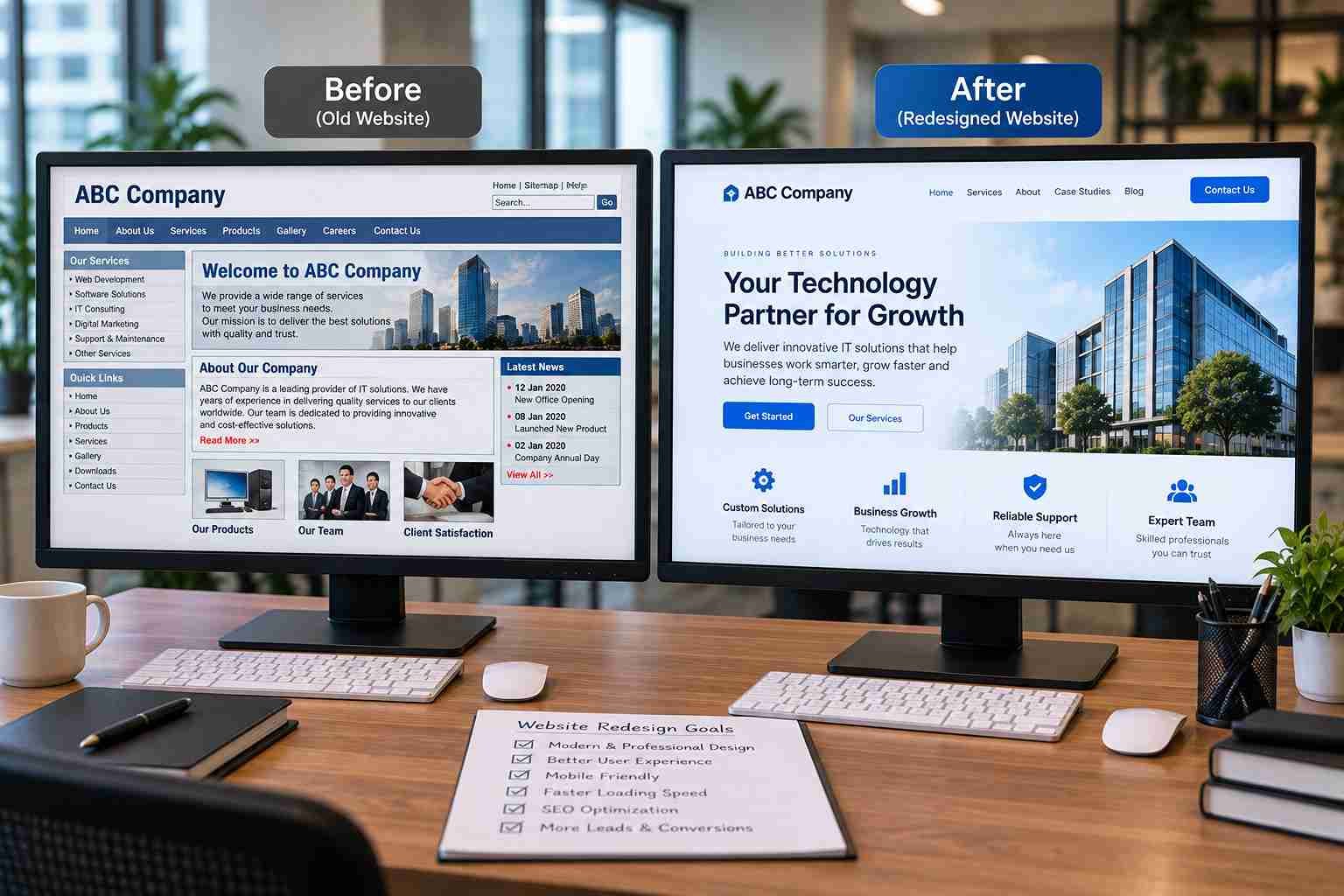
1. Your Design Looks Dated
Visitors form a first impression within seconds, and that impression is mostly visual. Cluttered page layouts, low-quality images, tiny fonts and cramped spacing signal neglect. Modern web design leans on generous white space, clear hierarchy and consistent brand identity.
Expert insight: Outdated design rarely hurts alone. It makes visitors doubt everything else on the page, including your pricing, claims and testimonials.
 2. You Don't Have a Mobile-Friendly Website
Google uses the mobile version of your site for indexing and ranking, which makes a mobile-friendly website a ranking factor as well as a usability one. Check for these problems:
Text that requires pinching to read
Buttons too small to tap
Images that overflow the screen
Long forms and awkward menus
A clumsy mobile checkout
3. Your Website Loading Speed Is Poor
Google's own research found that 53% of mobile visits are abandoned when a page takes longer than three seconds to load. Slow pages also hurt SEO and waste paid ad spend.
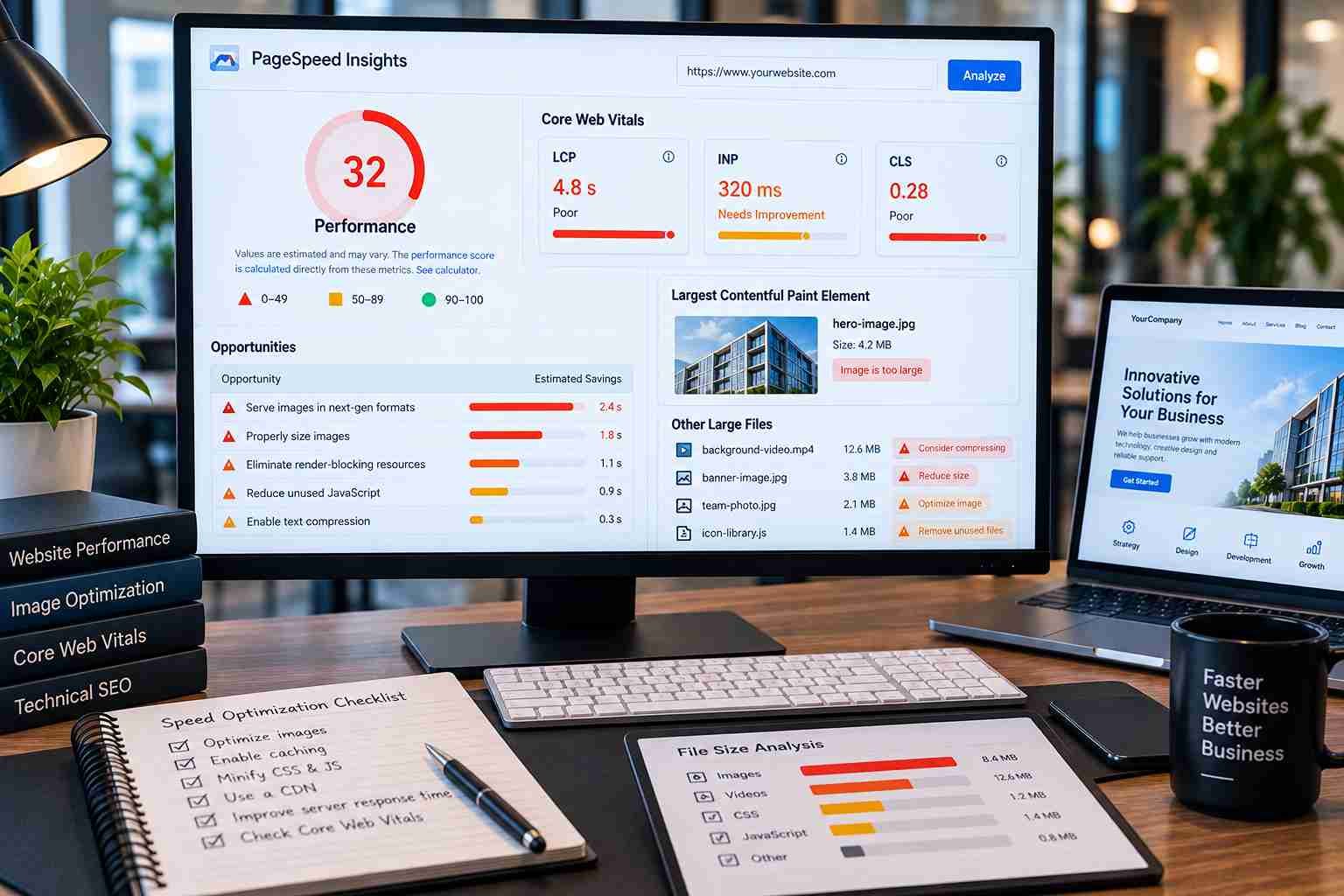 Common causes of poor website loading speed include:
Oversized images that need image optimization
Heavy animations and unoptimized videos
Cheap or overloaded website hosting
Too many plugins and unused code
No caching setup
Run your site through page speed tools like Google PageSpeed Insights and review the Core Web Vitals report in Google Search Console.
4. It Isn't Generating Leads
Traffic without enquiries means the site is failing at its main job. Typical culprits are vague service descriptions, weak CTA buttons, missing testimonials, slow pages and a confusing user journey. A high bounce rate on key pages is often the first clue.
5. Your Business Has Changed
New services, a new brand identity, new locations or a different target audience all create a gap between what you offer and what your site says. If a first-time visitor would misunderstand your business today, update the site.
6. Navigation Is Confusing
 If visitors can't find what they need in a few clicks, they leave. Warning signs include overloaded menus, vague page names, broken links and no clear next step. A better website structure groups pages logically and guides people toward action.
7. It's Not an SEO-Friendly Website
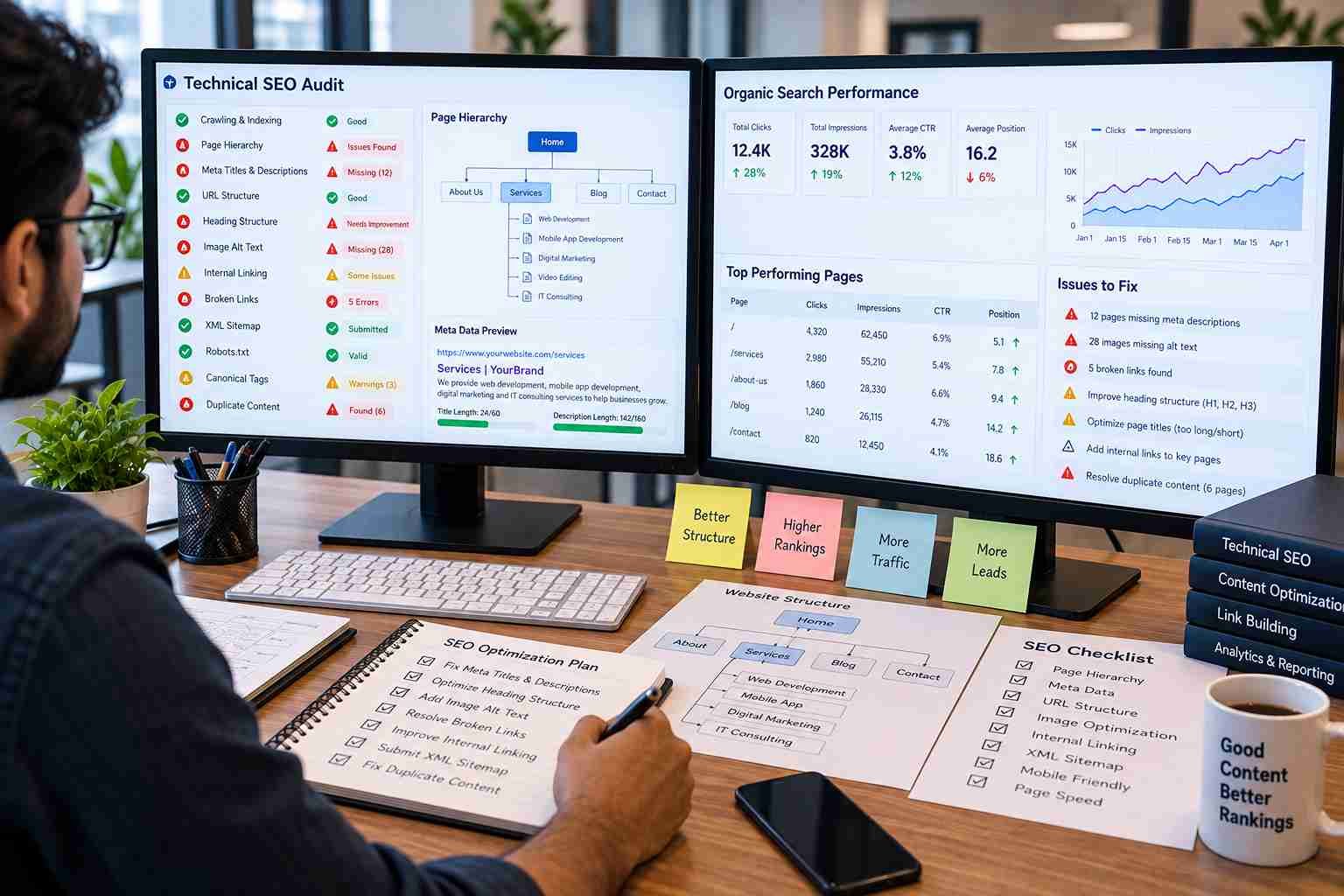 An SEO-friendly website has clean URLs, unique meta titles and descriptions, a logical heading structure, image alt text, an XML sitemap and no duplicate content. If your site lacks these foundations, a redesign is the best time to build them in.
8. Your Content Is Weak or Outdated
Outdated website content, such as old prices, former team members and expired offers, damages trust quickly. Thin pages with no FAQs, case studies or clear benefits also convert poorly. Content should answer three questions: who you are, what you offer and why you can be trusted.
9. Updating the Site Is Painful
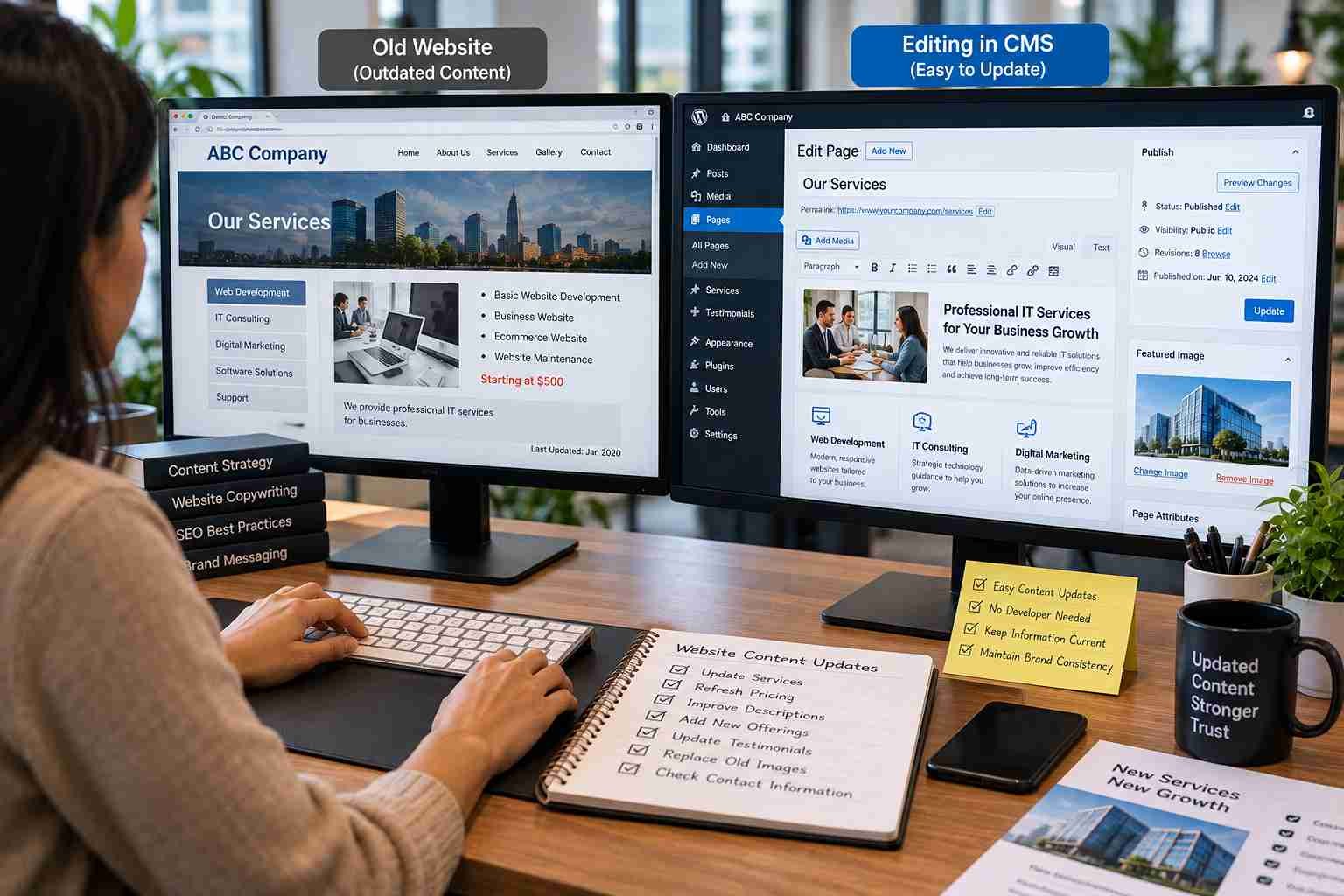 If a simple text change needs a developer, your CMS is holding you back. A modern content management system lets your team edit pages, publish blogs and update testimonials without technical help.
10. You Have Website Security Issues
Website security issues put customer data and your reputation at risk. Red flags include:
No SSL certificate (browsers show "Not secure")
Outdated plugins or themes
Frequent spam form submissions
Weak admin logins
No regular backups
Malware warnings
Refresh, Redesign or Rebuild? A Quick Comparison
Not every problem needs a full overhaul. Use this table to choose the right scope.
Option | Best For | What Changes | Typical Timeline |
Refresh | Dated look, minor content gaps | Visuals, images, copy tweaks | 1 to 4 weeks |
Redesign | Poor UX, weak SEO, slow site | Layout, structure, content, performance | 1 to 3 months |
Rebuild | Outdated tech, insecure CMS | Platform, code, hosting, architecture | 2 to 6 months |
Timelines vary with site size and complexity.
The Website Redesign Checklist
Use this website redesign checklist to keep the project strategic rather than purely visual.
Phase 1: Audit and Plan
[ ] Review current website performance in analytics (traffic, bounce rate, conversions)
[ ] Test load time and Core Web Vitals with page speed tools
[ ] Check mobile responsiveness on real devices
[ ] Audit content, keeping what ranks and converting what doesn't
[ ] List SEO issues: missing metadata, broken links, duplicate pages
[ ] Study competitor websites for gaps and opportunities
[ ] Define measurable goals (leads, sales, rankings, speed targets)
Phase 2: Design and Structure
[ ] Map a simple website structure and user journey
[ ] Place clear CTA buttons on every key page
[ ] Apply consistent visual design and brand identity
[ ] Add trust elements: testimonials, case studies, badges
[ ] Update service pages with benefits and FAQs
Phase 3: Build and Optimize
[ ] Compress images and optimize videos
[ ] Enable caching and remove unused code and plugins
[ ] Choose reliable website hosting
[ ] Set up SSL, backups and strong admin security
[ ] Configure analytics and conversion tracking
Phase 4: Launch and Protect Rankings
[ ] Create a URL map and set up 301 redirects from old pages to new ones
[ ] Resubmit your sitemap in Google Search Console
[ ] Test forms, checkout and every CTA before going live
[ ] Monitor rankings, errors and speed for the first 30 days
Expert insight: The most common redesign mistake is skipping the redirect map. Changing URLs without 301 redirects can wipe out years of accumulated search visibility overnight.
What Good Website Performance Looks Like
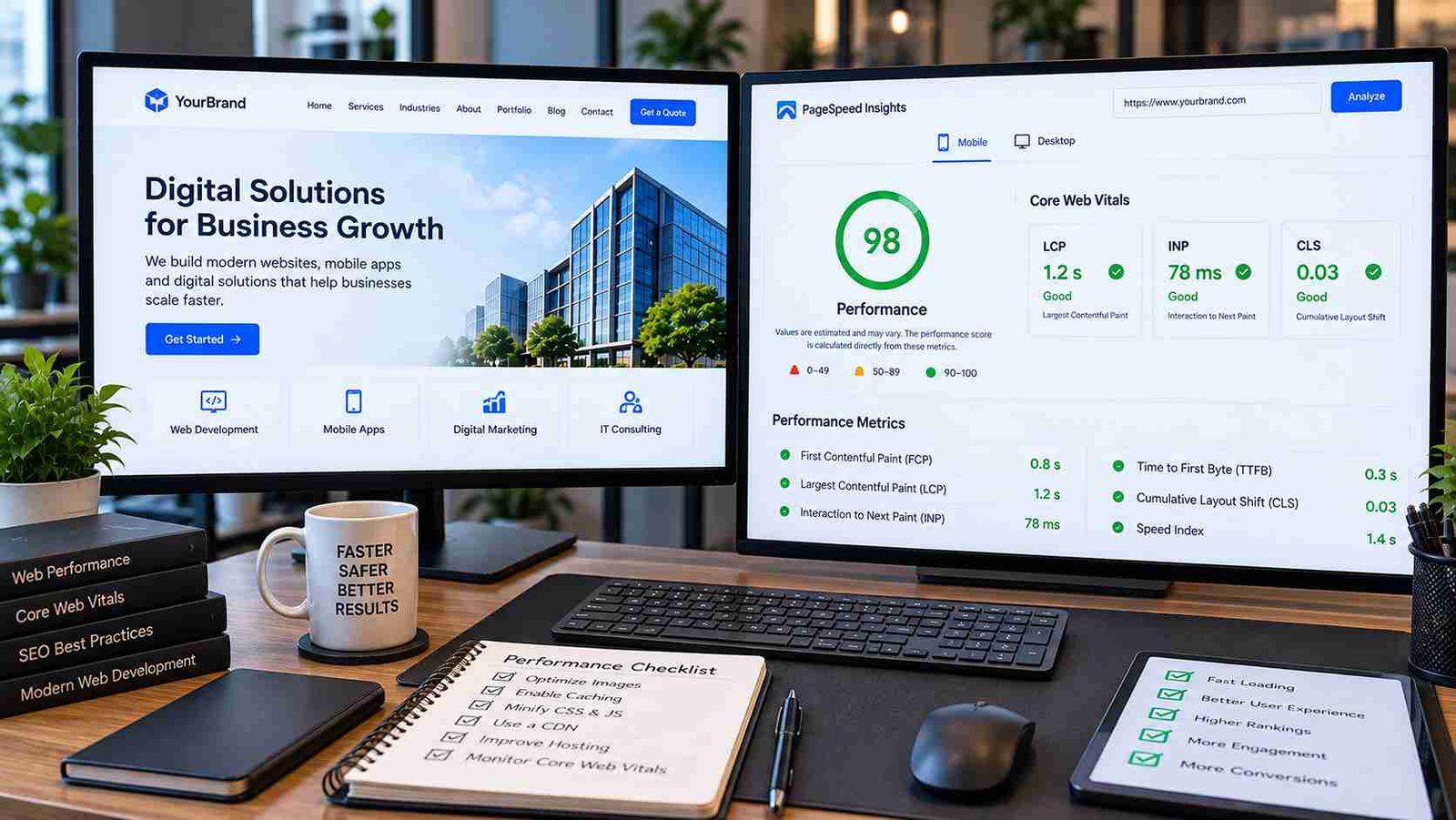 Google's Core Web Vitals give you concrete targets for website performance:
Metric | What It Measures | "Good" Threshold |
LCP (Largest Contentful Paint) | How fast the main content loads | 2.5 seconds or less |
INP (Interaction to Next Paint) | How quickly the page responds to input | 200 milliseconds or less |
CLS (Cumulative Layout Shift) | How stable the layout is while loading | 0.1 or less |
Measure these before the redesign and after launch so you can prove the project worked.
Common Redesign Mistakes to Avoid
Redesigning for looks only. Pretty sites that ignore UX and SEO rarely improve results.
Deleting content that ranks. Audit before you cut.
Ignoring mobile users. Design for the small screen first.
Launching without testing. Broken forms and redirects cost real leads.
Treating launch as the finish line. Ongoing maintenance, testing and content updates keep the gains.
When Is It Better to Wait?
Hold off on a website redesign if your site is fast, secure and generating steady leads, and your problems are limited to a few weak pages. Targeted fixes to copy, CTAs or speed may deliver most of the benefit at a fraction of the cost.
FAQ Section
1. When should I redesign my website?
Redesign when your site looks outdated, loads slowly, isn't mobile-friendly, produces few leads, or no longer reflects your business. Two or more of these issues usually justify a project.
2. How often should a website be redesigned?
Review your site every two to three years. A full redesign is only needed when performance, SEO, security or conversions are suffering.
3. Does a website redesign improve SEO?
Yes, when done correctly. Better speed, mobile usability, clean URLs, proper headings and stronger content can all improve search visibility. A poorly managed redesign can reduce rankings, so redirects and metadata must be planned.
4. Will a redesign hurt my existing traffic?
It can if URLs change without 301 redirects or if ranking pages are removed. An SEO migration plan protects your existing rankings.
5. How do I know if my website is underperforming?
Check analytics for bounce rate and conversion rate, test speed with page speed tools, review mobile usability, and track form submissions and calls.
6. Is a website redesign only about changing the design?
No. A strong redesign also improves UX, content, structure, speed, security and lead generation.
7. Can small businesses benefit from a website redesign?
Yes. A modern, fast, trustworthy site helps small businesses compete with larger brands for visibility and enquiries.
Conclusion
 Knowing when to redesign your website saves you from both premature spending and costly delay. Watch for the signs: dated design, poor mobile experience, slow loading, weak SEO, stale content, difficult updates and security gaps. Then use the checklist above to keep the project focused on measurable outcomes, not just a new look.
Ready to put this into action? Start with a free audit of your current site: test your speed, check mobile usability and list your top five issues. That short exercise will tell you whether you need a refresh, a redesign or a full rebuild, and it gives you a clear brief if you decide to work with a professional team.
Web Development and SEO: How They Drive Marketing Success
Static vs Dynamic Website: Which Is Best for You?
Is Google AI Hurting Your Website Traffic in 2026?
AI in Web Development: How Smart Websites Help Businesses Grow in 2026