
How to Make Your Website Scalable for Future Business Growth

If your business is growing, your website needs to grow with it. A scalable website is one built to handle more traffic, more content, more users, and more features without needing a full rebuild every time the business hits a new milestone. Too many companies launch a site that works fine on day one, only to discover during a product launch, a funding round, or a viral marketing moment that the technical foundation can't keep up. This guide breaks down exactly how to build a scalable website, from technology choices to hosting, security, and long-term maintenance.
What Is a Scalable Website?
A scalable website is a site engineered to accommodate growth in traffic, content volume, features, and integrations without requiring a ground-up rebuild. Instead of hitting a wall every time the business adds a new product line, expands to a new city, or integrates a new tool, a scalable website absorbs that growth through flexible architecture and infrastructure.
In practice, this means the site can handle:
Sudden spikes in visitor traffic
New pages, blogs, or product categories
Additional admin users and permission levels
New third-party integrations
Higher transaction volumes
Multi-location or multi-language expansion
Scalability isn't a single feature it's a design philosophy applied across every layer of the website.
Why Scalability Should Be a Business Priority, Not Just an IT Concern
Website design gets most of the attention early on, but a visually polished site that can't handle website traffic growth becomes a liability the moment marketing efforts succeed. A scalable website directly supports:
Stable performance during traffic surges (product launches, ad campaigns, press coverage)
Faster rollout of new features without rebuilding core systems
Lower long-term development costs
Stronger conversion rate optimization because pages stay fast and functional under load
Easier CRM integration and marketing tool connections as the sales process matures
In short, scalability is a growth enabler. Treating it as a "nice to have" almost always costs more later than building it in from the start.
1. Start With a Website Strategy, Not Just a Design Brief
Before any development begins, map out where the business is headed not just where it stands today. Ask:
Will we need e-commerce functionality within the next two years?
Will customers eventually need login accounts or a dashboard?
Will the site need to support multiple locations or languages?
What CRM or marketing tools will we eventually connect?
A clear strategy gives developers the context to choose the right architecture from day one, rather than retrofitting it later.
2. Choose a Technology Stack Built for Growth

Technology choice has an outsized impact on scalability. The right stack depends on business type and future plans:
Business Type | Recommended Stack | Why It Works |
Content-driven business site | WordPress | Flexible CMS, huge plugin ecosystem |
E-commerce store | Shopify / WooCommerce | Built-in payment and inventory handling |
Custom web application | Laravel or Node.js | Full control over backend logic |
High-performance frontend | React / Next.js | Fast rendering, strong for scaling UX |
Content flexibility across platforms | Headless CMS | Decouples content from presentation layer |
The mistake most businesses make is choosing the cheapest or most familiar option rather than the one aligned with where the company is headed.
3. Build a Flexible Website Architecture
Architecture refers to how a site is structured behind the scenes. A scalable website depends on:
Clean, modular code (not hardcoded sections)
Reusable components across pages
Organized database design
Separated frontend and backend logic
Proper API integration structure
If your service pages, for example, are built as reusable templates rather than one-off custom pages, adding a new service later takes hours instead of weeks.
4. Prioritize Website Performance Optimization
As traffic increases, an unoptimized site slows down and speed directly affects both user experience and search rankings. Website performance optimization should include:
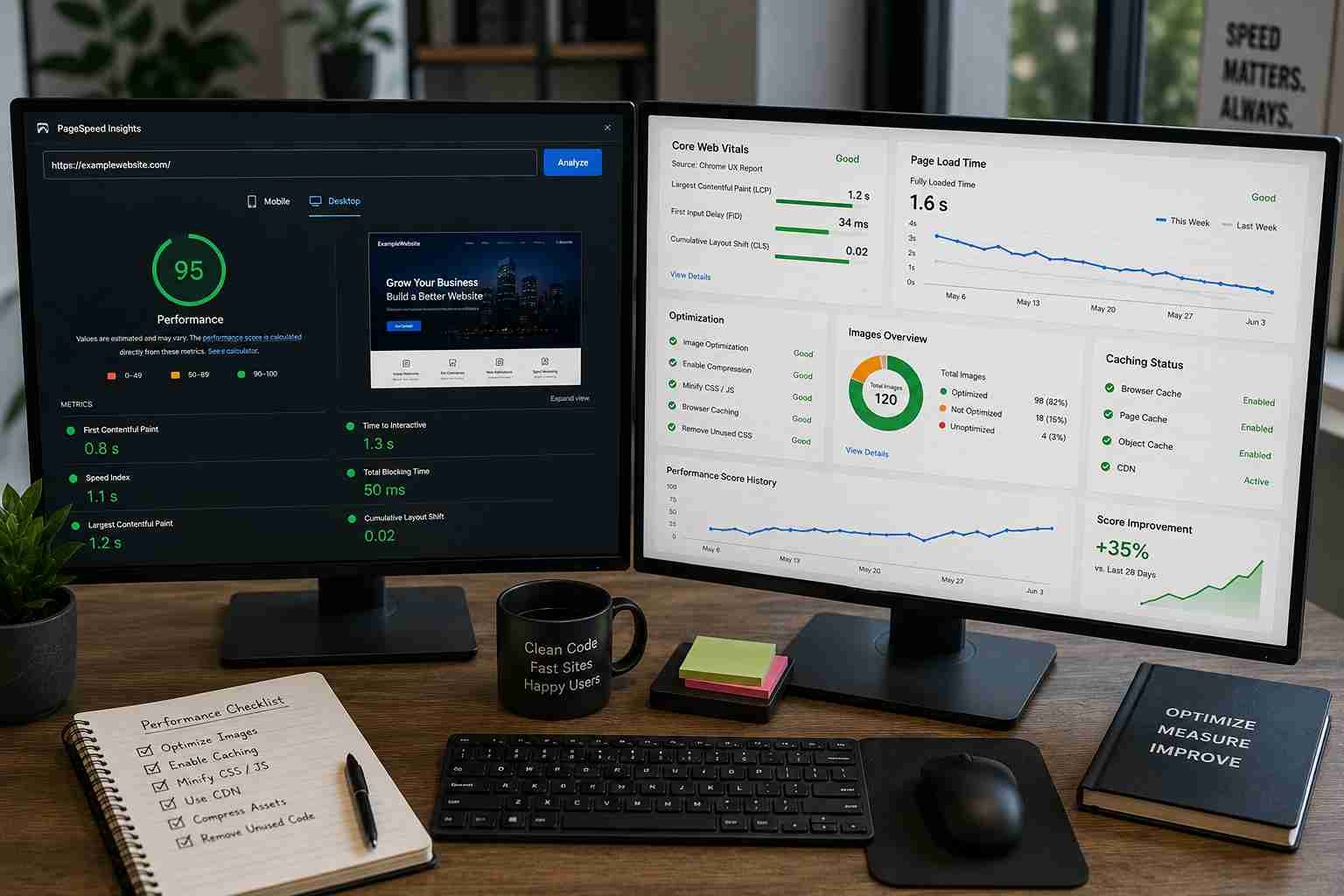
Image compression and lazy loading
Website caching at both browser and server level
CDN (Content Delivery Network) integration for faster global load times
Database optimization to keep queries fast as data grows
Mobile performance tuning, since most traffic is mobile-first today
A faster site doesn't just feel better it measurably improves conversion rate optimization, since visitors are less likely to abandon slow-loading pages.
5. Invest in Scalable Hosting
Hosting is often the first bottleneck businesses hit. Scalable hosting allows resources to expand as demand grows, rather than crashing under a traffic spike.
Hosting Type | Best For | Scalability Level |
Shared hosting | Very small sites | Low |
VPS hosting | Growing businesses | Medium |
Cloud hosting | Scaling businesses | High |
Dedicated servers | High-traffic platforms | High |
Cloud hosting is generally the strongest fit for growing companies because compute and storage resources can be adjusted on demand instead of requiring a full server migration.
6. Plan for Website Integration Early
Modern business websites rarely operate in isolation. They connect to CRMs, payment gateways, analytics tools, and marketing platforms. Planning website integration from the start rather than bolting it on later avoids costly rework.
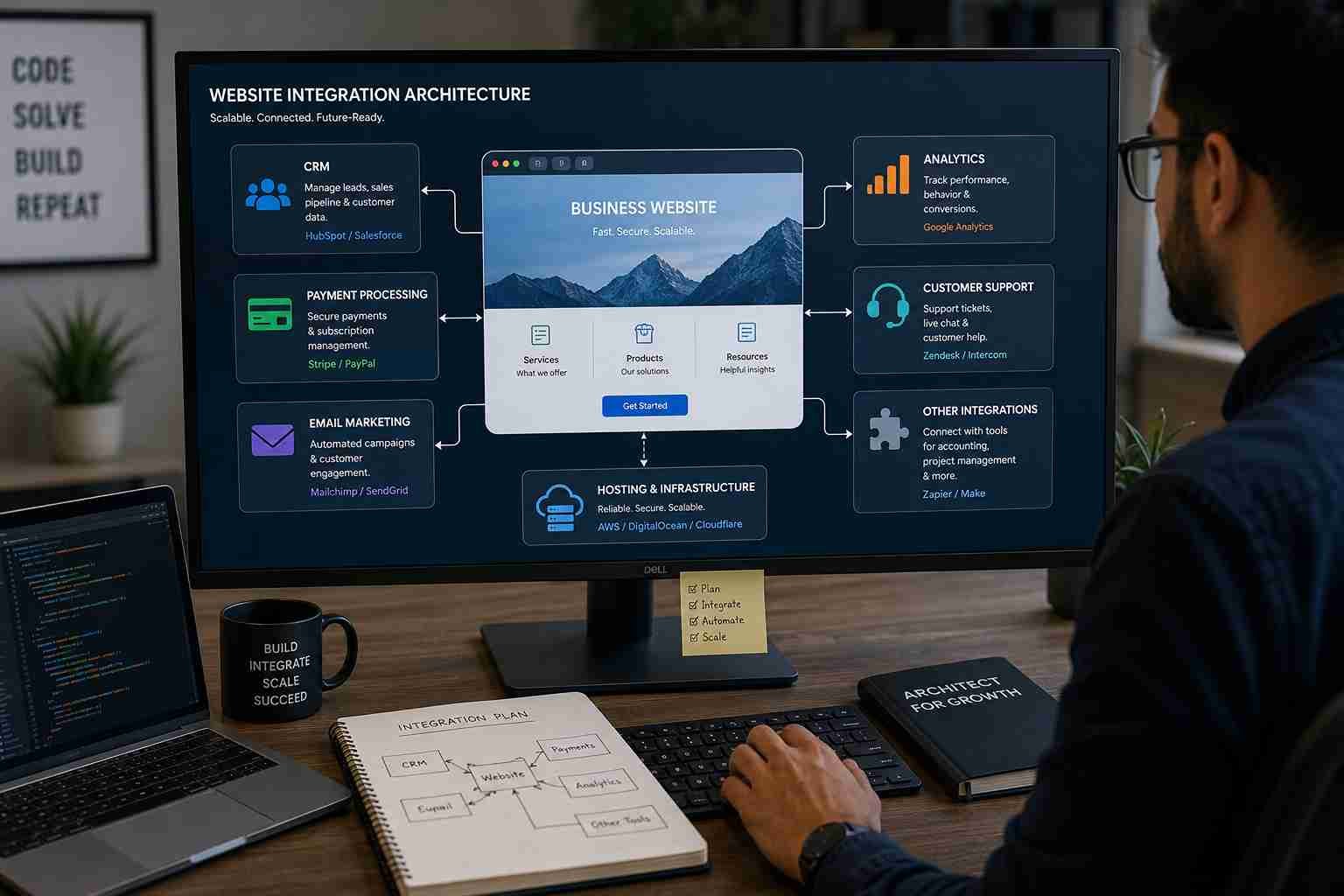 Common integrations to plan for:
CRM integration for lead and customer data
Payment gateways for online transactions
Email marketing and automation platforms
Analytics and reporting tools
Live chat or chatbot systems
API integration is the backbone of this flexibility it allows separate systems to exchange data without custom, one-off code for every connection.
7. Use a Scalable Content Management System
As the business grows, so does the volume of content: blogs, landing pages, case studies, product listings. A flexible content management system lets marketing teams manage this without depending on developers for every update.
A capable CMS should support:
Easy page and blog creation
SEO metadata fields per page
Media and asset management
Multi-user access with permission levels
If updating a single paragraph requires a developer ticket, the CMS is already a scalability bottleneck.
8. Build SEO Structure That Scales
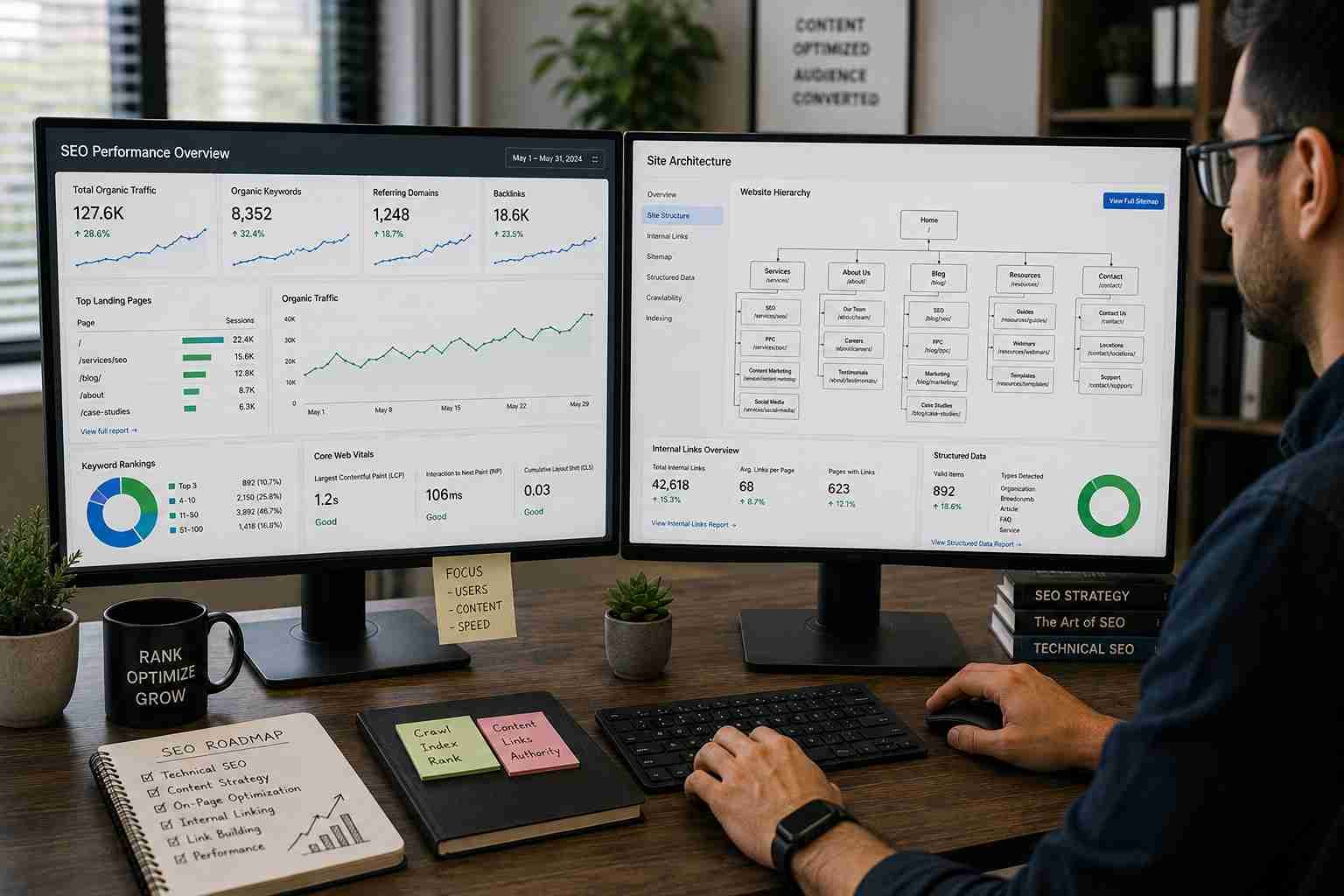 SEO becomes harder to fix retroactively as a site grows. Structure it correctly from the beginning:
Clean URL structure with logical hierarchy
Schema markup for rich search results
Strong internal linking between related pages
An updated sitemap for search engine crawling
Location-based landing pages for multi-city expansion without duplicate content
Getting this right early prevents the messy page sprawl that happens when SEO is an afterthought.
9. Treat Website Security as Non-Negotiable
More users, more integrations, and more data mean more risk. Website security should include:
SSL certificate on every page
Firewall protection against common attacks
Regular data backups
Role-based admin access
Ongoing software and plugin updates
A single security breach can undo years of trust-building security isn't optional at any stage of growth.
10. Design for Features You Don't Need Yet
 A scalable website should support future additions without breaking existing functionality:
Customer login and dashboards
E-commerce functionality
AI chatbots
Multi-language support
Membership or subscription portals
You don't need to build these on day one you need an architecture that won't fight you when it's time to add them.
11. Use Analytics to Guide Growth Decisions
Scalability isn't purely technical it's informed by data. Track:
Traffic sources and website traffic growth trends
User behavior and bounce rate
Form submissions and conversion paths
Page-level performance
These insights tell you where to invest next, rather than guessing.
12. Commit to Ongoing Website Maintenance
 Even a well-built site degrades without care. Regular website maintenance should include:
Software and plugin updates
Broken link checks
Speed monitoring
Security reviews
Content audits and updates
Scalability is not a one-time project it's a continuous discipline.
Direct Answer: How Do You Make a Website Scalable?
To make a website scalable, choose a flexible technology stack, use cloud-based scalable hosting, build modular architecture with reusable components, optimize performance through caching and CDN use, implement a flexible CMS, plan integrations via APIs, and maintain strong security and regular upkeep. Scalability comes from the combination of these decisions, not any single fix.
Common Mistakes That Limit Scalability
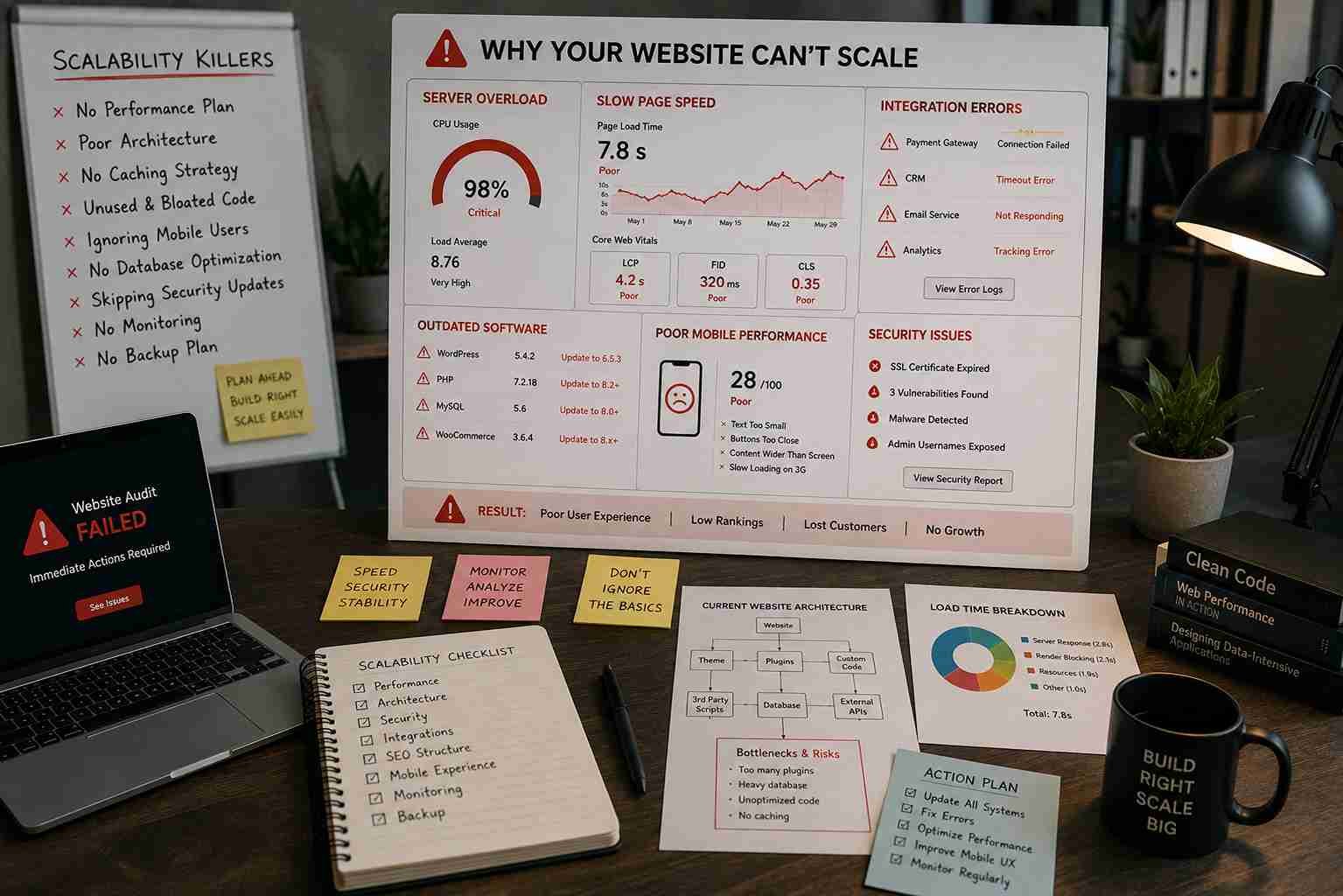
Choosing the cheapest hosting without a growth plan
Hardcoding content instead of using a CMS
Ignoring mobile performance
Skipping security until after an incident
Failing to plan integrations before they're urgently needed
FAQ
1. What is a scalable website? A scalable website is one that can handle increased traffic, content, users, and features as a business grows, without requiring a complete rebuild.
2. Why does scalability matter for a small business? It prevents expensive redevelopment later and ensures the site can support growth from day one, even if current traffic is modest.
3. Is cloud hosting necessary for a scalable website? Not always required, but it's typically the best option since resources can scale up or down based on real-time demand.
4. Does website scalability affect SEO performance? Yes. Fast, well-structured, mobile-friendly sites with clean URLs and schema markup tend to perform better in search rankings as they grow.
5. What's the biggest mistake businesses make with scalability? Building only for current needs and ignoring future features, integrations, or traffic growth during the initial build.
6. How much does it cost to build a scalable website? Costs vary by complexity, but investing in scalability upfront is generally cheaper than rebuilding a poorly structured site later.
7. How often should a scalable website be maintained? Ongoing, ideally with monthly checks for speed, security, backups, and content, plus quarterly reviews of overall architecture.
Conclusion
 A scalable website isn't a luxury reserved for large enterprises it's a practical necessity for any business planning to grow. The right technology stack, scalable hosting, thoughtful architecture, and consistent maintenance work together to ensure your website supports expansion instead of slowing it down. If you're planning a new site or evaluating whether your current one can handle what's next, start with an honest audit of these fundamentals before adding another feature. Building for scale now will save significant time, money, and stress later.
Progressive Web Apps (PWAs): Future of Web Experiences
Web & Mobile Application Development: How to Build Fast, Secure, and Scalable Digital Experiences
How CMS Platforms Simplify Website Management in 2026
AI in Web Development: How Smart Websites Help Businesses Grow in 2026
Must-Have Features for a Successful E-Commerce Website